Purpose: For information purposes
Who: UNICEF User
When: Information of HACT assurance and partnership overview needed
1. Log into eTools with your UNICEF email and password
2. Click on the Menu icon in the top left corner of the screen to open menu
3. Click on Partnership Management
4. Click on Partners
5. A list of your partners will open
6. Click on the Vendor Number to open Partner details
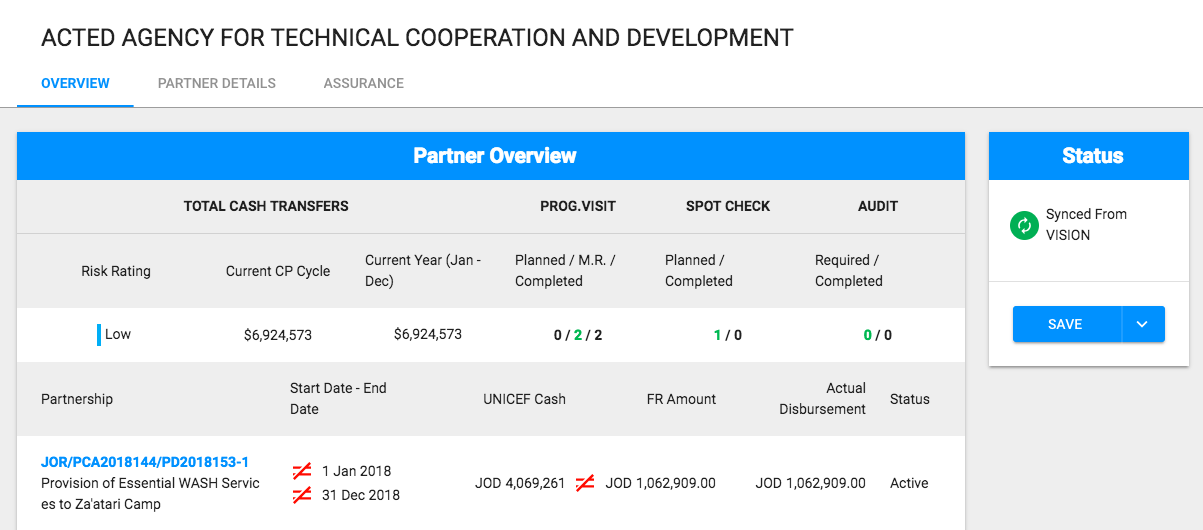
7. Once you click on the vendor number of the partner, the Partner Details page will open (defaulted). Click on the Overview tab to access Partner Overview page

8. Partner Overview screen will open