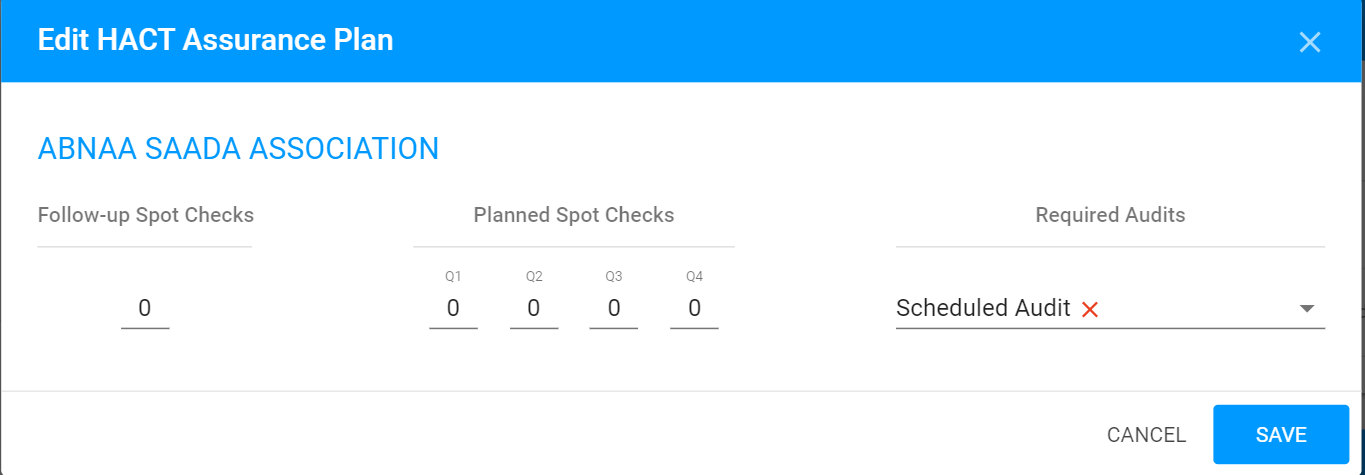
Purpose: Enter planned values for programmatic visits and financial assurance activities
Who: UNICEF Audit Focal Point, HACT Focal Point, Partnership Manager and Senior Staff Member
When: at any time
1. Log into eTools with your UNICEF email and password
2. Your Personalized Dashboard (My Dashboard) will open

3. Click on HACT Tab

4. Your HACT Assurance Plan will open
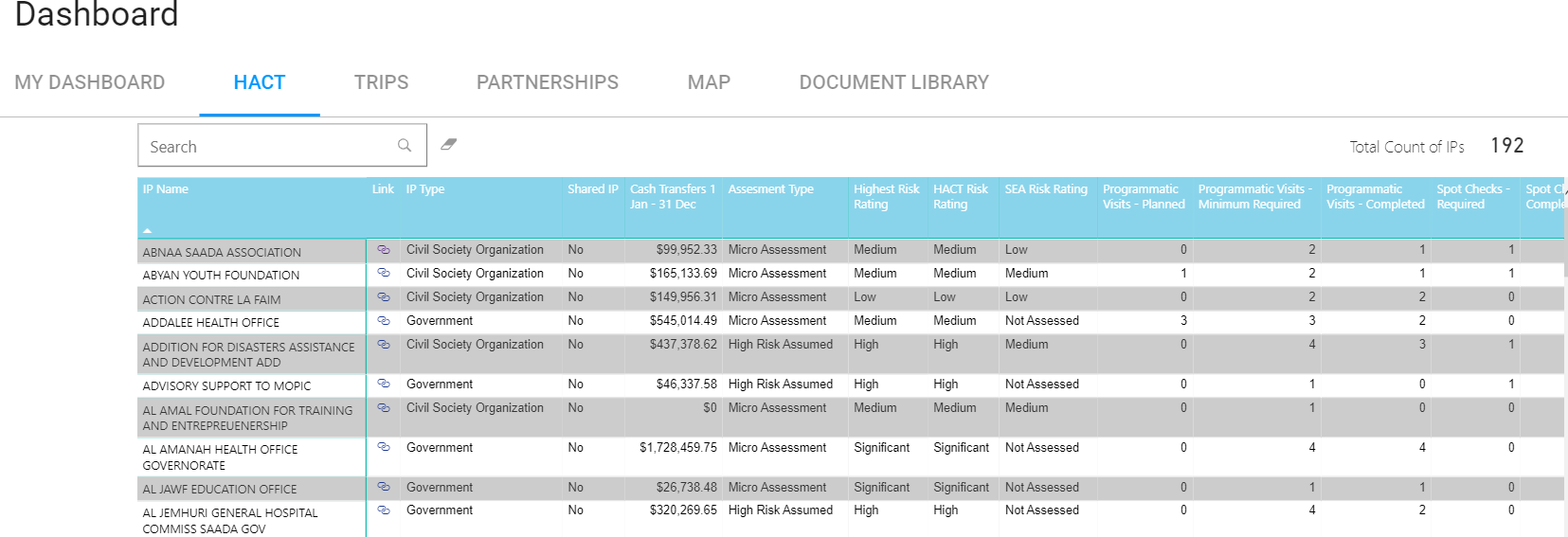
5. To edit the assurance activity of a particular partner click on the “Link” icon  in “Link” column next to the IP’s name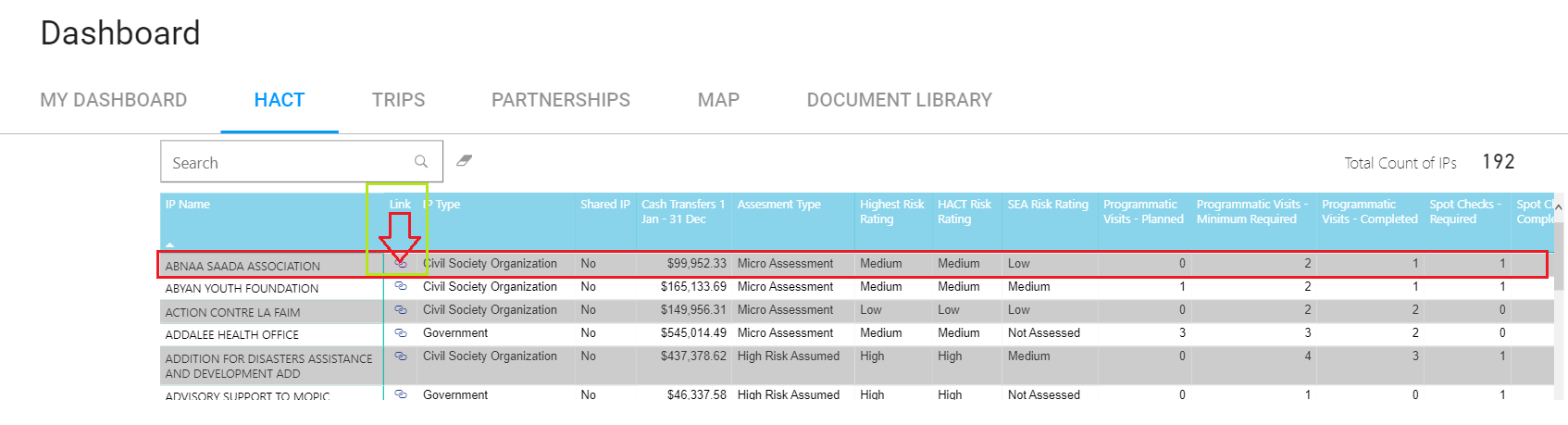
6. This will launch the Assurance Plan module in eTools
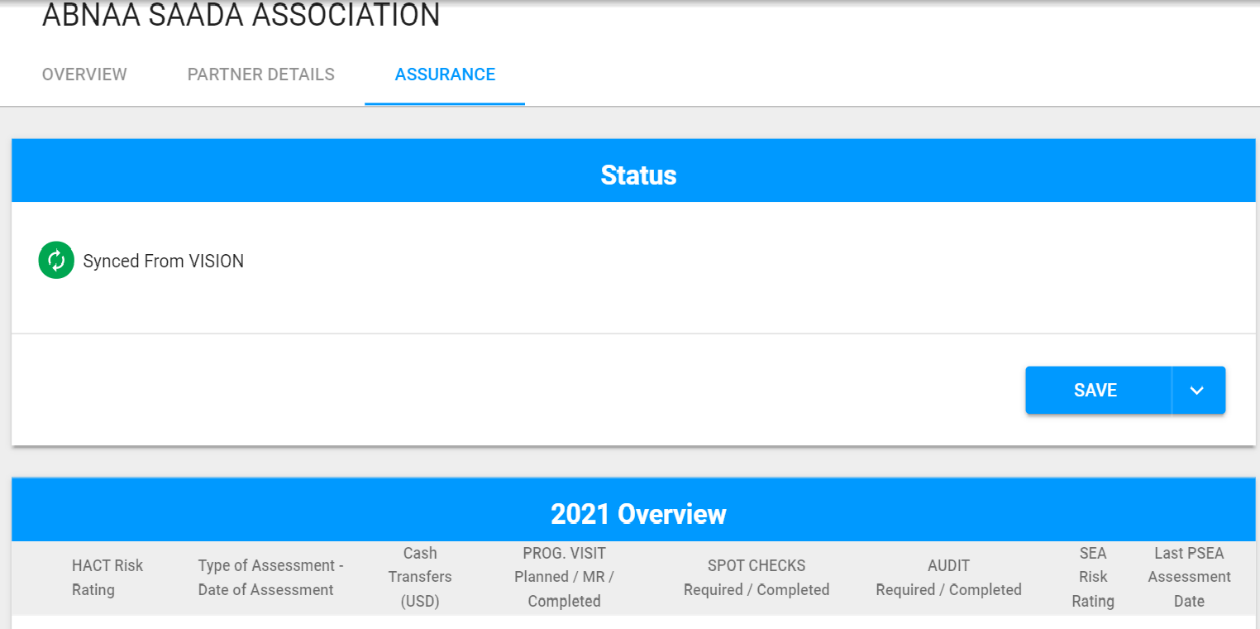
6. Assurance Activities can be updated or edited by clicking on the “Edit” icon in the Assurance Activities card of the Assurance Plan
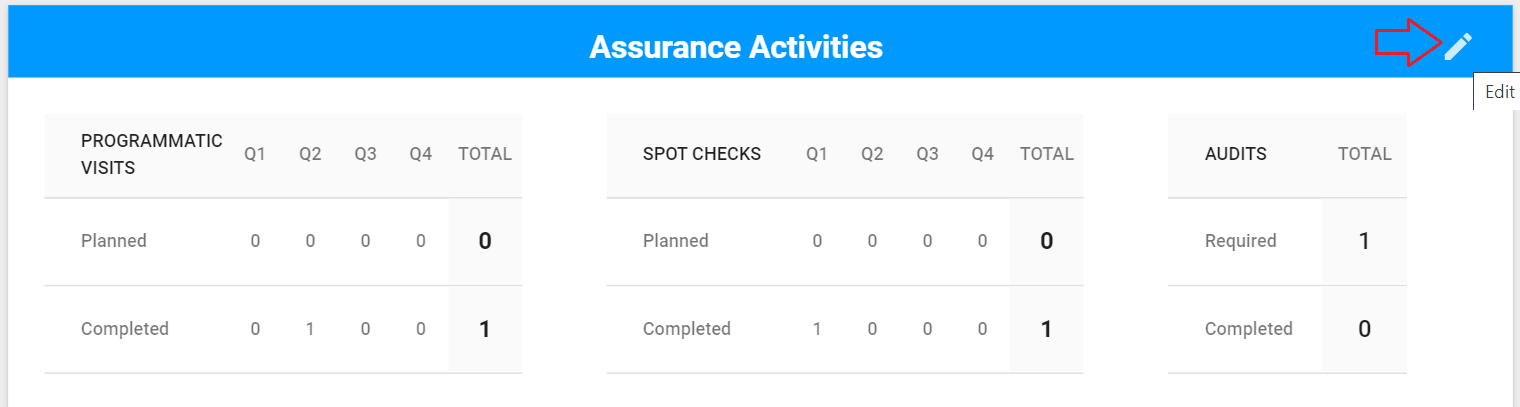
7. The HACT Assurance Plan can be edited at any time and saved in order to reflect updated assurance activities by authorized UNICEF staff – usually these include UNICEF Audit Focal Point, HACT Focal Point, Partnership Manager and Senior Staff Member
Enter Planned Programmatic Visits, Planned Spot Checks or Required Audits and click on Save