1. Log into eTools with your UNICEF email and password
2. Your Personalized Dashboard will open

3. Click on HACT Tab

4. Your HACT Assurance Plan will open and you will note the “Exports” and “Historical Exports” buttons on the top right hand corner of the page
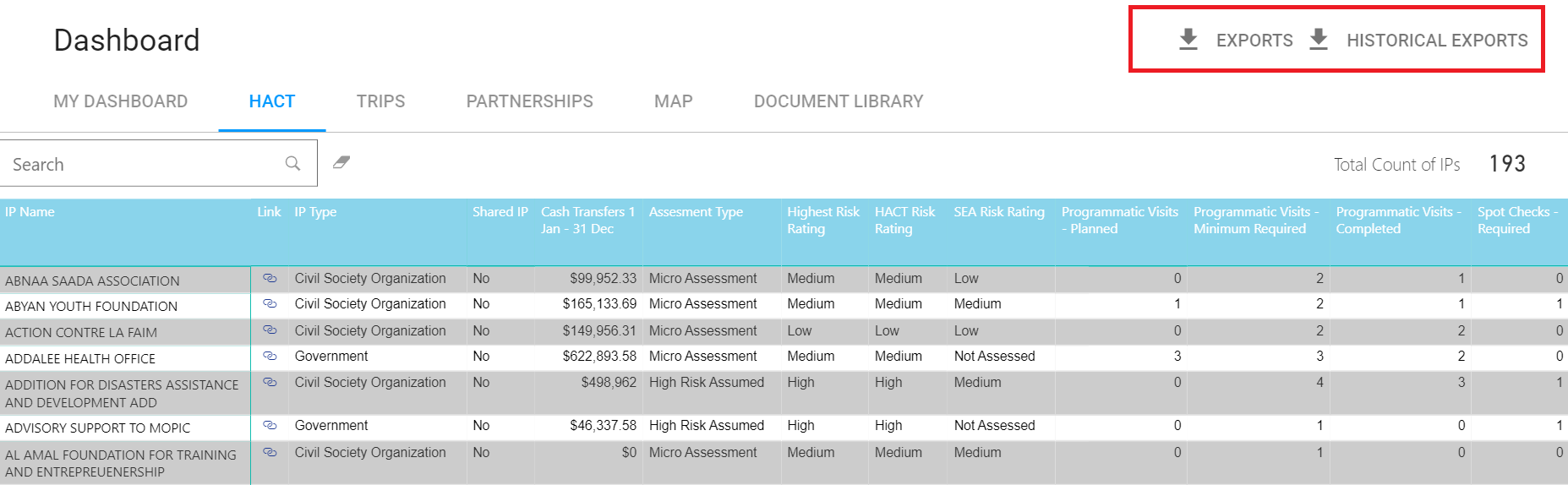
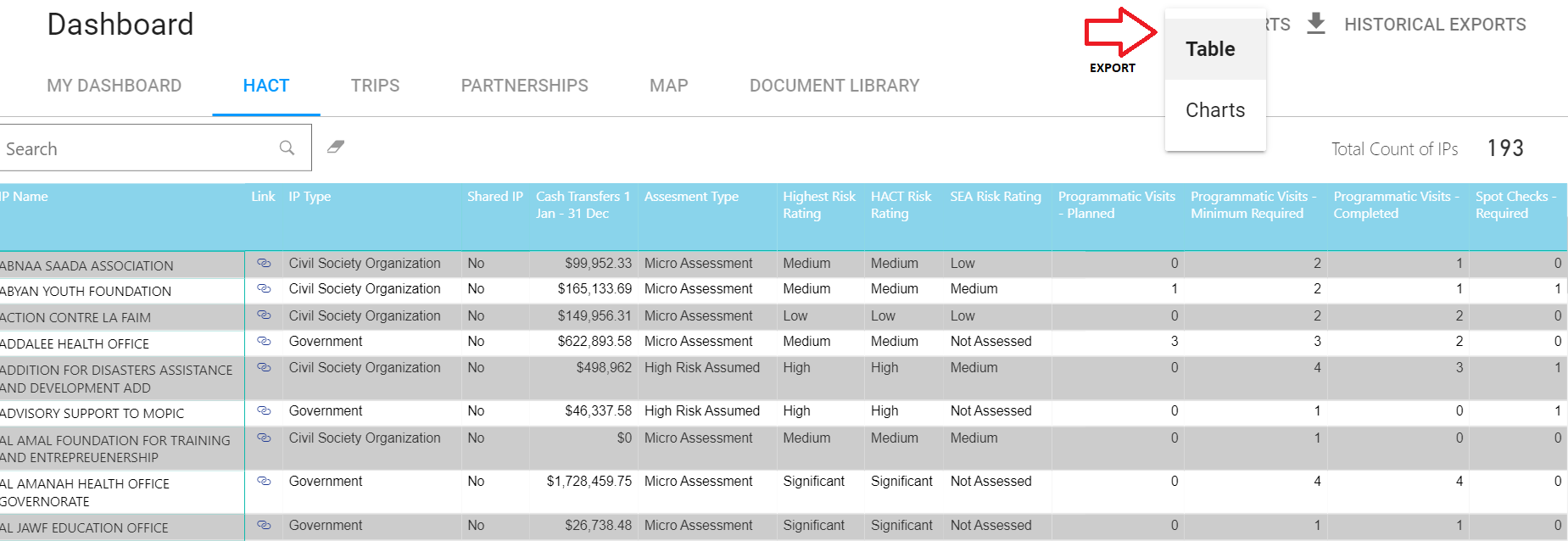
5. Click on the “Exports” button to export and download the HACT Status Report for the current year – exports are available in Table format (Excel) as well as in a Chart format
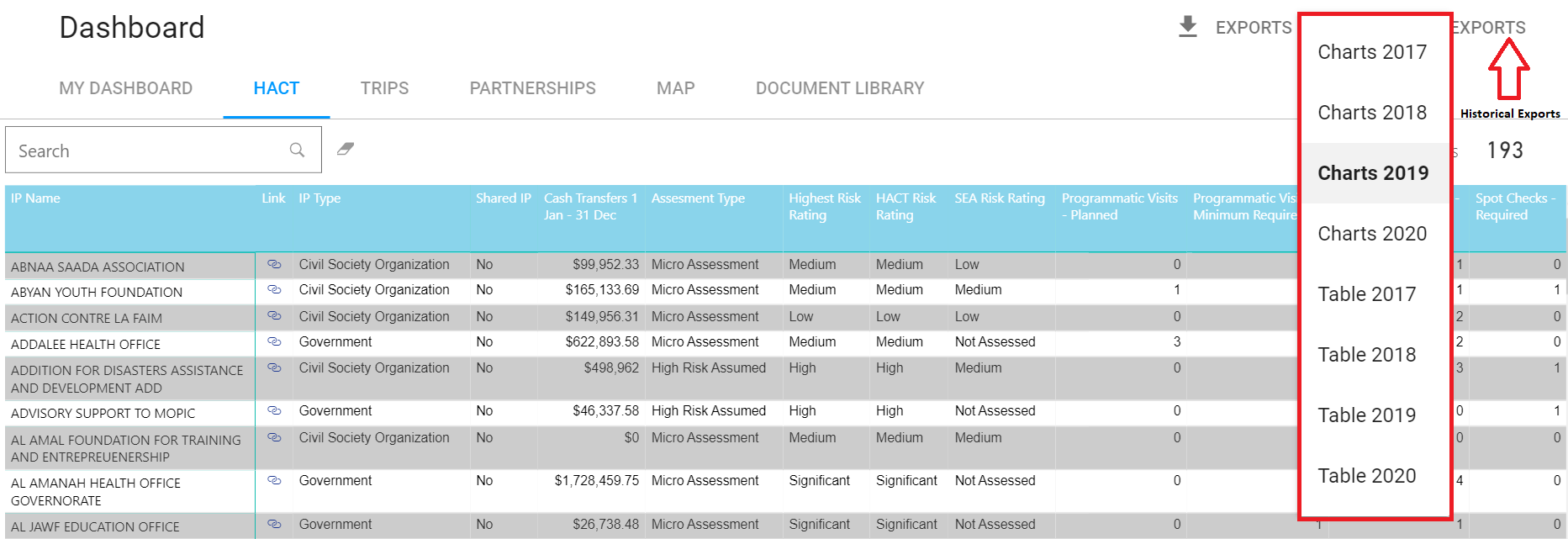
6. Click on the “Historical Exports” button to export and download the HACT Status Report for previous years – exports are available in Table format (Excel) as well as in a Chart format
7. Alternatively you can click on Export button to export the data that is with the plan by clicking on “Export data” icon on the top right hand corner of the plan
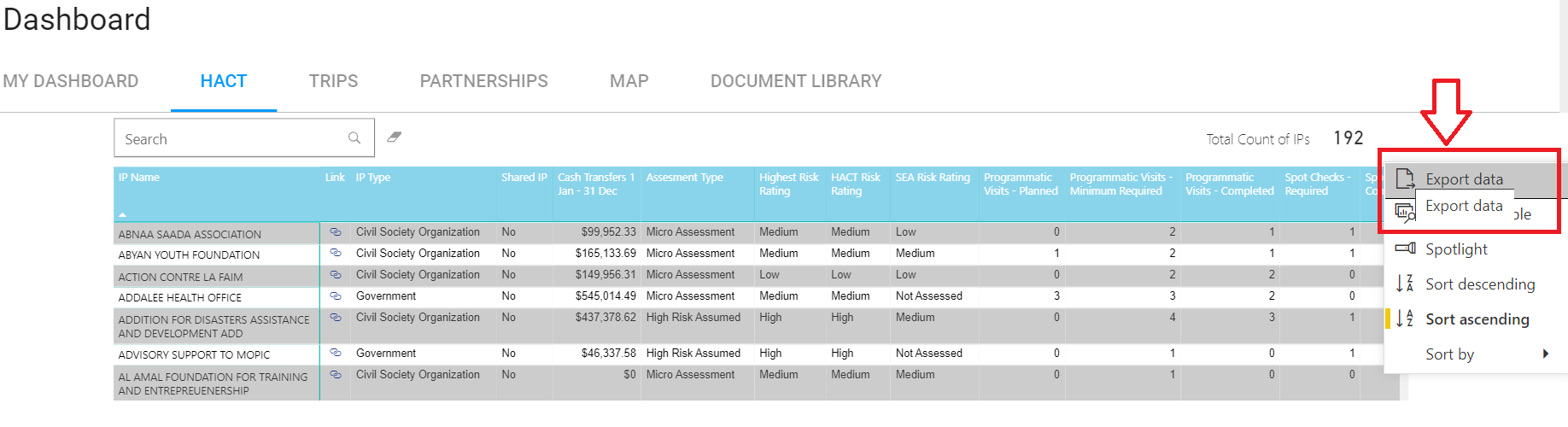
6. Your data will be exported into an excel file.