Purpose: Add disaggregations to indicators in the workspace
Who: PME User
When: The various disaggregation types should be set for the CO by PME user. This will enable the programme managers to select the appropriate disaggregation when uploading the results framework for the PD/SSFA, which will also be reflected in the Partner Reporting Portal and enable partners to report indicator progress by the identified disaggregation.
1. Log into eTools using your UNICEF email and password
2. Click on the Menu icon in the top left corner of the screen to open menu

3. Click on Partnership Management

4. Click on Settings to open disaggregations page

5. Click on + sign in Disaggregations

6. Enter the name/label of the Disaggregation. Click on Add to enter Disaggregation groups and enter disaggregation groups

6. Enter the disaggregation groups,
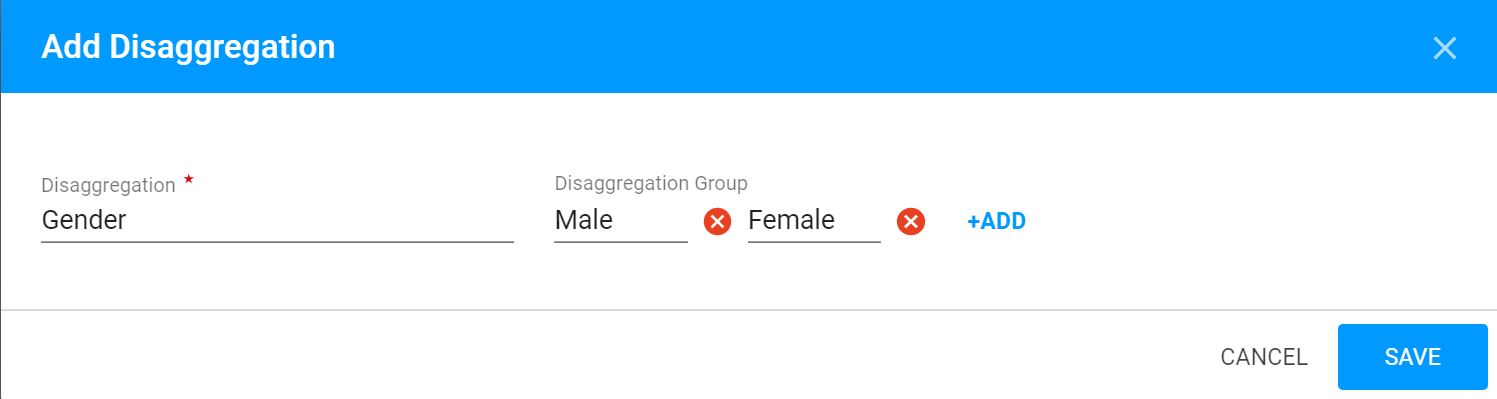
NOTE: Every time you want to add another group, click Add
8. Click Save