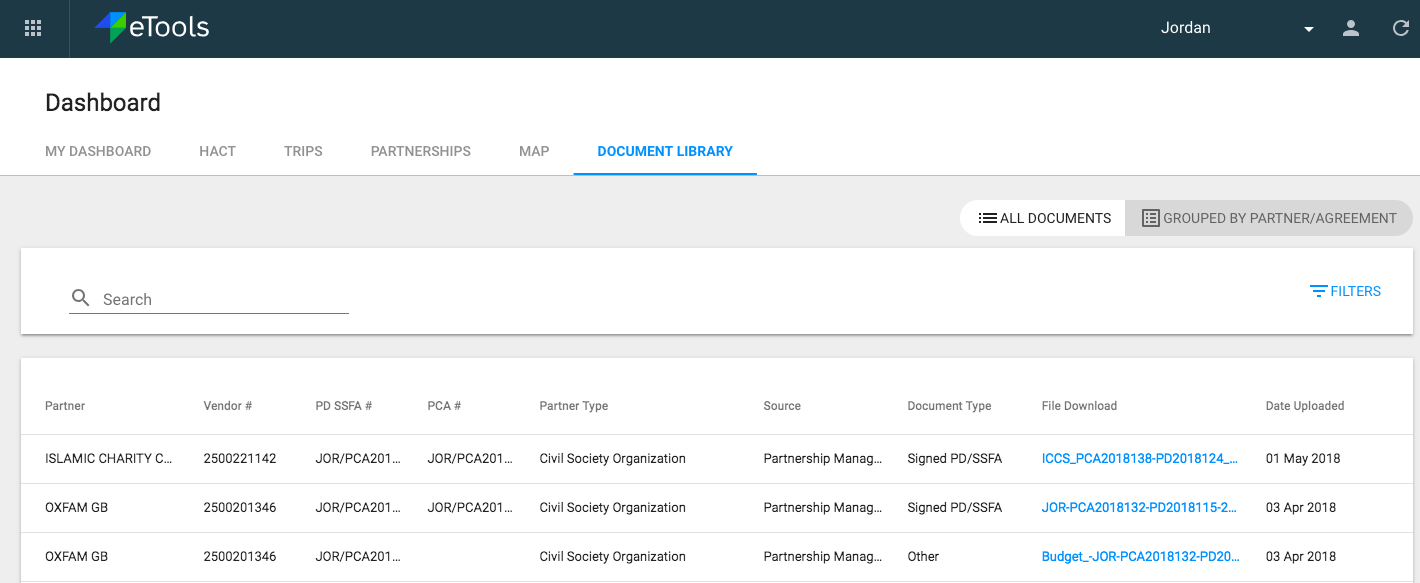
Purpose: The Document Library is a central repository of all documents and attachments uploaded by users across the eTools modules.
Who: UNICEF users
When:Document library enables a single view of all documents related to a partner and is available in the Dashboard in eTools. Document Library allows for the users to view documents by partner and provides additional information of the documents such as the Partner's vendor number, Partner type, source of document, document type and upload date. Users can also download the required file from this view. Users may filter the documents by “Document Type” or search for a document by entering the “Partner” name or “Vendor Number”.
1. Log into eTools with your UNICEF email and password
2. Your personalized Dashboard will open
3. Click on Document Library tab

4. A Document Library will open