Purpose: The follow-up is for the UNICEF Focal Point to enter and verify financial findings and issue action points
Who: HACT Focal Point
When: The auditor finalized the spot check. UNICEF audit focal point staff will also receive an e-mail notification when the engagement has been completed.
1. Log into eTools using your UNICEF email and password
2. Click on the Menu icon in the top left corner of the screen to open menu
3. Select Financial Assurance Module
4. List of engagements will open
5. Click on the Unique ID of the engagement you wish to follow-up on for the Spot Check. The status section will show the status of the engagement. 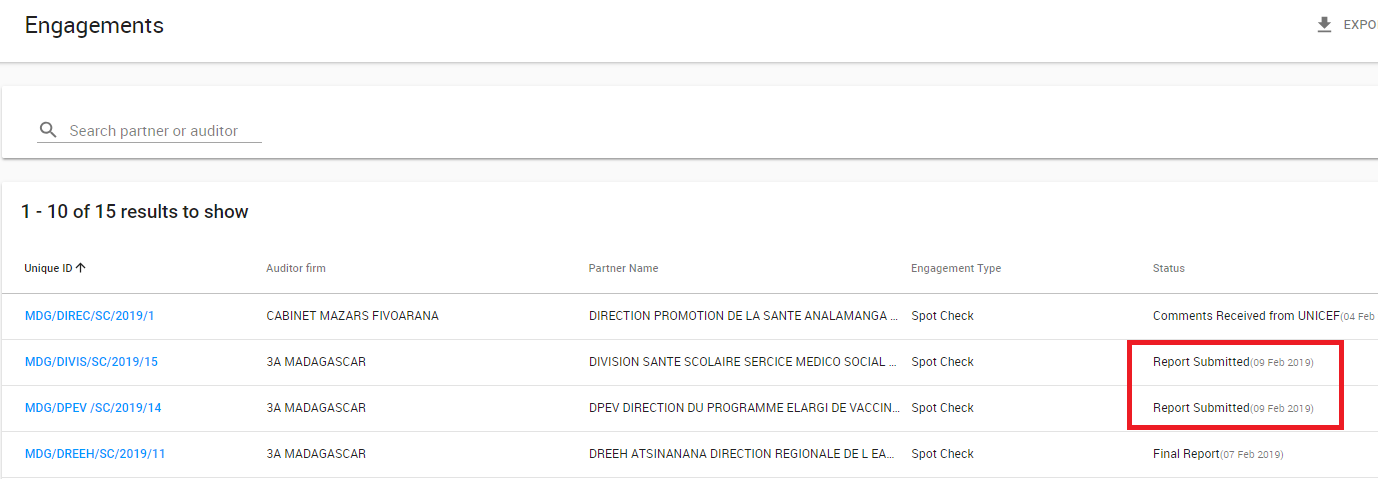
6. Go to the report tab to review the submitted report
7. Go to status bar and click on Finalize to finalize the report

8. Once you click on Finalize, a follow-up tab will open

9. Fill in the following fields: Amount Refunded, Additional Supported Documentation Provided, Justification Provided, Accepted and Impairment
10. Add UNICEF Follow-up Actions by clicking on the + sign

11. Fill the following required fields: Category, Due Date, Person Responsible, Description and Status and click 'Add'